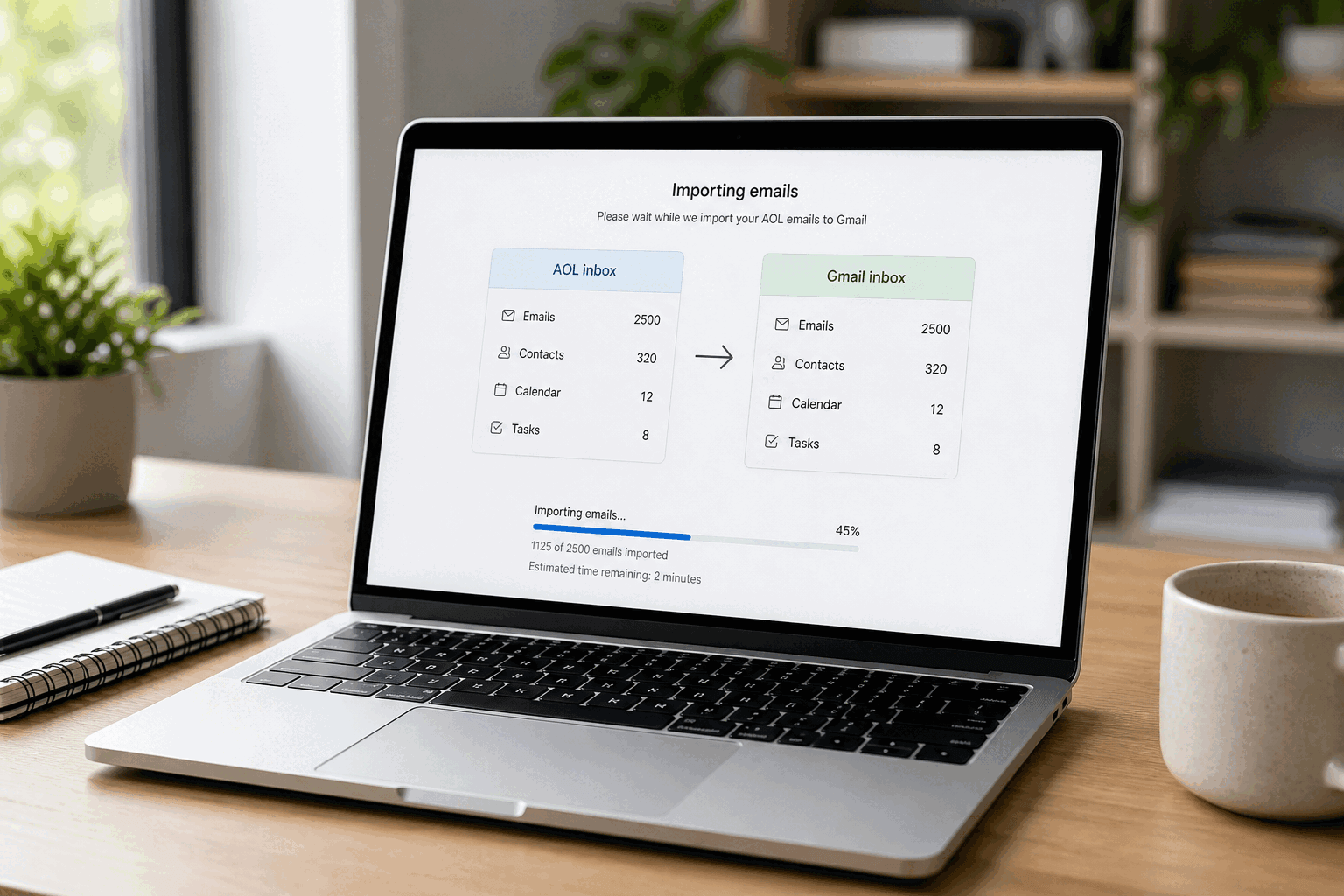
 Use Gmail's Import mail and contacts, then keep new mail flowing with POP fetch (
pop.aol.com, port 995) and an AOL app password. Automatic forwarding is missing on many AOL accounts, so do not wait for a Forwarding tab that may never appear. Keep AOL for 90 days while you update banks and recoveries.
The rest of this page is the parts people get stuck on: creating that app password, exporting contacts, what to do when Gmail rejects the AOL password, and whether a 20-year archive will even fit. If you still need the why, start with AOL Mail vs Gmail vs Outlook. Otherwise start with the full move.
How do I move from AOL Mail to Gmail?
On a desktop browser: create Gmail and turn on 2-step verification, generate an AOL app password, export contacts as a backup, run Gmail's Import mail and contacts, then add AOL under Check mail from other accounts with POP3 so new mail keeps arriving. Update banks and recovery emails for 90 days. Do not delete AOL on day one. Details for each step are the questions below.
What do I need before I switch from AOL to Gmail?
A Gmail account with 2-step verification. A working AOL login at mail.aol.com — Gmail cannot import a locked mailbox. An AOL app password if two-step is on (it usually is). Enough Gmail storage: free Gmail is 15 GB shared with Drive and Photos. Huge AOL archives will stall or fill Gmail unless you add Google One or leave the oldest mail on AOL.
How do I create an AOL app password?
In AOL: Account Security → Generate app password → Other App → name it Gmail → copy the 16-character code. Use that code wherever Gmail asks for your AOL password — import, POP fetch, and Send mail as. Your normal AOL password stays for mail.aol.com only.
How do I export my AOL contacts?
Do this even if Gmail will import contacts later. Address books are the easiest thing to lose.
1. Sign in to AOL Mail on the web.
2. Open Contacts.
3. More or Tools → Export.
4. Save as vCard (.vcf) or CSV.
Import at contacts.google.com → Import. Skip the upload if the Gmail importer already pulled them and they look complete.
How do I import AOL emails into Gmail?
This is the one-shot history copy.
1. Gmail on the web → gear → See all settings.
2. Accounts and Import.
3. Import mail and contacts.
4. Enter your full AOL address → Continue.
5. Sign in with the app password.
6. Choose mail, contacts, and new mail for the next 30 days if offered.
7. Start import and close the window. Large mailboxes take hours. Gmail labels what came from AOL.
Why does Gmail say my AOL password is incorrect?
You pasted the real AOL password. Gmail's importer is a third-party login. With two-step verification on, AOL rejects that password and wants the 16-character app password. Generate a new one if an old code was deleted. This is the same error people hit adding AOL to the Gmail app.
Can I automatically forward AOL Mail to Gmail?
Not on every AOL account in 2026. If Settings shows Forwarding, enter your Gmail address and verify the message Gmail receives. If that tab is missing, stop hunting. Use Gmail's POP fetch instead — that is the reliable method. Do not run forwarding and POP together or you get duplicates.
How do I keep getting new AOL emails in Gmail?
The importer's ~30-day window is not enough. Banks and password resets will hit AOL for months. In Gmail: Settings → Accounts and Import → Check mail from other accounts → Add a mail account → Import via POP3. Gmail then pulls AOL every few minutes. Leave a copy on the server and apply an "AOL" label so you can see what still depends on the old address.
What are the AOL POP settings for Gmail?
Username: full AOL address.
Password: AOL app password.
POP server: pop.aol.com
Port: 995
Always use a secure connection (SSL): on.
Outgoing, if Gmail asks for Send mail as: smtp.aol.com, port 465 or 587, SSL/TLS, same app password.
Will I lose my old AOL emails if I switch to Gmail?
Not if the import finishes and Gmail has room. Switching does not delete AOL by itself. You lose mail if you close AOL before the import ends, if Gmail fills up, or if AOL later purges an account you stopped signing into. Keep AOL until you have checked Gmail for the years you care about.
My AOL mailbox is bigger than 15 GB — can I still move to Gmail?
Yes, but not onto free Gmail as-is. Buy Google One storage first, or import recent years only and leave the archive on AOL (sign in at least once a year so AOL does not purge it). A failed import is usually a storage problem, not a broken tool.
Can I still send from my AOL address after switching to Gmail?
Yes. Gmail → Accounts and Import → Send mail as → add the AOL address and finish AOL's verification. SMTP: smtp.aol.com, port 465 or 587, app password. Pick AOL or Gmail in the From field. Recipients still see @aol.com until you decide to send as Gmail only.
Do I need a paid tool to migrate AOL to Gmail?
No, for a normal personal mailbox. Gmail's importer plus POP fetch is enough. Paid desktop tools help if the mailbox is enormous, the importer keeps dying, or you need a local PST/MBOX backup. Start free. Pay only if that path fails.
Which accounts should I update first after leaving AOL?
Banks, credit cards, tax, insurance, government portals. Then Apple ID, Google recovery, Microsoft, Amazon, PayPal. Then utilities, doctor portals, payroll. Then domain registrars and hosting — easy to lock yourself out. Whenever a labeled AOL message arrives in Gmail, update that sender and archive it. Ninety days of that covers most of the list.
How long should I keep my AOL account after moving to Gmail?
At least 90 days while recoveries and late mail catch up. Then park it (sign in once a year) or close it after every critical account has moved and you have anything you still need. Do not leave AOL as the only recovery address and then forget it — a 12-month gap can wipe the mailbox and lock the services still pointed at it.
Can I add AOL Mail to the Gmail app on my phone?
Yes, but it is a second inbox in the Gmail app, not a full migration. Add account → Other / AOL → use the app password. For a real move, run import and POP fetch on the web first. Phone settings will not copy 20 years of history by themselves.
The Gmail import from AOL is stuck. What should I do?
Wait if the mailbox is huge — hours is normal. Check Gmail storage. Confirm the app password was not revoked. Remove the import and start it again if it died overnight. If POP fetch works but history does not, the importer failed and POP will only pull new mail. At that point a one-time paid migrator or leaving old years on AOL is the honest choice.
Does Faraday work with AOL, or only after I move to Gmail?
Faraday connects to Gmail and Outlook, not AOL. Finish the move, then put Faraday on Gmail so the archive does not become a 20-year Gmail pile. Same idea as our Yahoo Mail migration guide if you are leaving both.
