At some point, you signed up. Or maybe you didn't — maybe you bought something online, or created an account, or downloaded a PDF, and the checkbox was pre-ticked. Either way, your inbox now receives dozens of emails you never asked for, from companies you barely remember interacting with.
Newsletters. Promotional blasts. "We miss you" campaigns. Weekly digests from a forum you visited once in 2022. Flash sale alerts from a store where you bought a single pair of socks. Each one individually harmless. Collectively, they're the single biggest source of inbox clutter for most people.
Here's how to actually stop them — and a better way to think about the problem entirely.
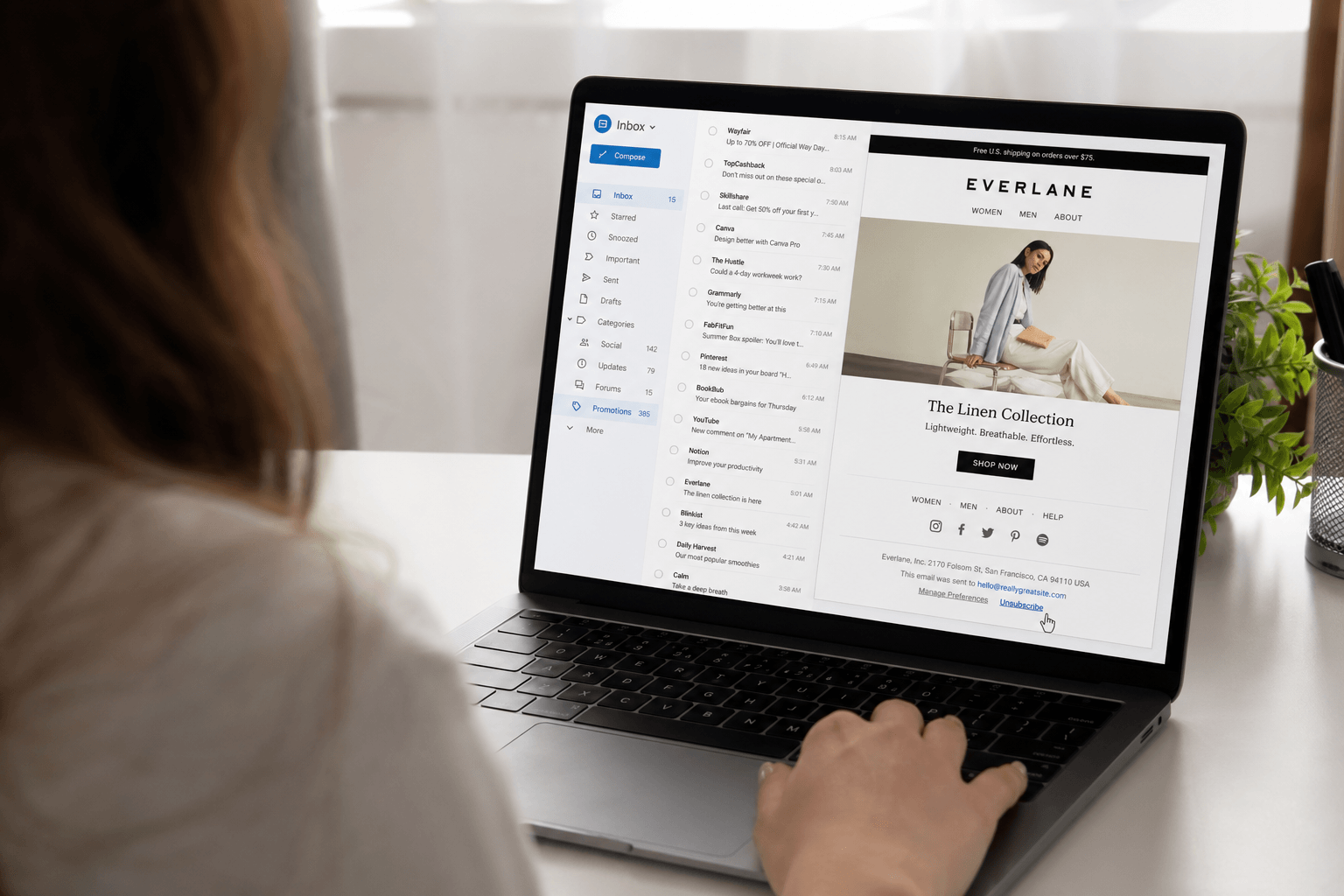
The unsubscribe button: your first line of defense
Every legitimate marketing email is legally required to include an unsubscribe mechanism. In the US, the CAN-SPAM Act mandates it. In Europe, GDPR goes further. In practice, this means every real newsletter and promotional email has an unsubscribe link — usually at the bottom, in small gray text, next to a wall of legal disclaimers.
Click it. It works. Legitimate companies are required to honor your request within 10 business days (most do it instantly). This is the simplest, most direct way to stop unwanted email from known senders.
One important caveat: only unsubscribe from senders you recognize. If the email looks suspicious, is from an unknown sender, or feels like actual spam (not just unwanted marketing), don't click the unsubscribe link. Report it as spam instead. Clicking links in genuine spam can confirm your address is active or worse.
Gmail's built-in unsubscribe
Gmail surfaces an "Unsubscribe" link at the top of many marketing emails, right next to the sender name. This is easier than scrolling to the bottom — Gmail extracts the unsubscribe mechanism from the email headers and presents it prominently.
You can also filter and delete from a sender: open an email, click the three dots, select "Filter messages like these," and choose to delete or auto-archive future messages. This is useful when unsubscribing doesn't work or you want immediate results.
Outlook's unsubscribe options
Outlook also provides an unsubscribe option at the top of many promotional emails. Additionally, you can right-click a message, select "Block" to stop all emails from that sender, or create a rule to automatically move certain senders to trash.
For Outlook users in a corporate environment, your IT admin may have policies that affect which unsubscribe options are available — but for personal accounts, the process is straightforward.
The batch approach: mass unsubscribing
If your inbox is overwhelmed, unsubscribing one by one feels like bailing out a sinking boat with a teaspoon. Here's a faster approach:
Search for "unsubscribe" in your inbox. This surfaces every email that contains an unsubscribe link — which is essentially every marketing email you've ever received. Now you can see the full scope of your subscriptions and work through them systematically.
Sort by sender. Identify the most frequent offenders. That retailer sending you three emails a week? The SaaS tool you tried once and abandoned? The daily newsletter you haven't read in six months? Start with the highest-volume senders for maximum impact.
Dedicate 15 minutes. Set a timer. Open emails, unsubscribe, next. You can clear dozens of subscriptions in a single focused session. Most people find that 15 minutes of targeted unsubscribing reduces their daily email volume by 30-40%.
Third-party unsubscribe services: a word of caution
Services like Unroll.me and Clean Email offer to mass-unsubscribe you from mailing lists. They scan your inbox, identify subscriptions, and let you unsubscribe in bulk. Convenient — but not without cost.
These services typically require full access to your email to function. Some have been caught selling anonymized email data to third parties (Unroll.me famously sold data to Uber). Others maintain ongoing access to your inbox long after you've stopped using them.
If you value privacy, the manual approach is safer. It takes more time, but your email content stays between you and your provider.
Preventing future subscriptions
Use email aliases for sign-ups. Apple's Hide My Email, Firefox Relay, or SimpleLogin create disposable addresses. When one starts getting unwanted email, delete it entirely.
Read the checkbox. When creating accounts or making purchases, look for pre-checked boxes that opt you into marketing. Uncheck them. This five-second habit prevents weeks of unwanted emails.
Use a secondary email for non-essential services. Keep your primary email for people and important services. Use a secondary address for shopping, free trials, and anything that might generate marketing emails. Separation at the source is more effective than filtering after the fact.
The better question: do you even need to unsubscribe?
Here's the thing most advice doesn't address: unsubscribing is a reactive, ongoing chore. You unsubscribe from 50 lists today, and over the next six months, you'll gradually accumulate 50 more. New purchases, new accounts, new services — each one adding to the stream. The cycle never ends because the internet is designed to collect your email address.
What if your email client simply handled it?
Faraday automatically identifies newsletters, promotional emails, and marketing messages — and organizes them separately from your important mail. You don't need to unsubscribe from everything because those emails never compete for your attention in the first place.
Want to browse your newsletters when you have time? They're there, neatly organized. A store sent you a coupon you might actually use? It's accessible. But none of it clutters your primary view. None of it generates anxiety. None of it buries the email from your colleague that actually needs a response.
Unsubscribing treats the symptom. Intelligent organization treats the cause. Faraday does the latter — automatically, from the moment you connect your account, with zero configuration. And if you still want to unsubscribe, you can ofcourse do so with a single click, very methodically, for any brand in any genre.
Still, unsubscribe from the stuff you'll truly never want. But for the gray area — the newsletter you read occasionally, the brand you sometimes buy from, the digest that's interesting once a month — let Faraday sort it. Your inbox should show you what matters, not everything that arrives.
For the broader picture — why spam finds your address in the first place, what actually works against true spam (not just marketing), and the unsubscribe traps to avoid — see How to stop spam emails.
