Yahoo Mail vs Gmail vs Outlook
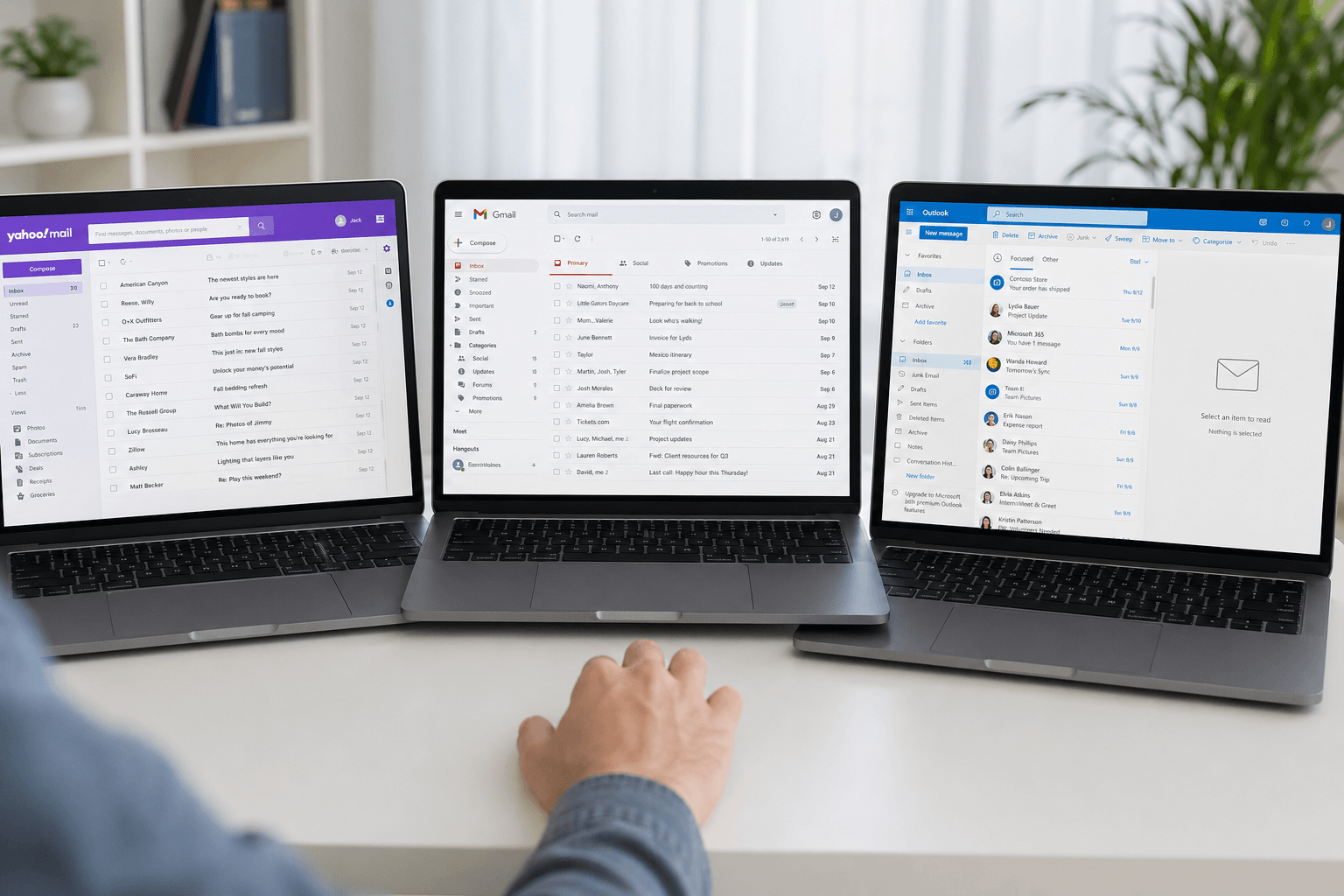 Three email services still dominate personal email search: Yahoo Mail, Gmail, and Outlook. The quick answer in 2026 is simple: Gmail is the safest default for most personal users, Outlook is strongest if you live in Microsoft 365, and Yahoo Mail used to win on free storage (1 TB), but that dropped to 20 GB for long-time users who do not want to move.
That does not mean Yahoo is dead, Gmail is perfect, or Outlook is only for work. Each service has a real use case. The better question is what you value most: storage, privacy, AI, calendar integration, mobile reliability, professional polish, or an easy migration path.
Quick verdict: which one should you choose?
Choose Gmail if you want the best free all-rounder: strong spam filtering, excellent search, reliable Android support, Google Drive integration, and familiar apps on every device.
Choose Outlook if your work already runs on Microsoft 365, Teams, Word, Excel, OneDrive, Exchange, or corporate IT policies. Outlook is the most natural fit for business workflows.
Choose Yahoo Mail if you already have years of Yahoo history, care most about free storage, and can tolerate ads and a less modern product direction. Yahoo still works; it is just rarely the best fresh start.
Choose a modern email client like Faraday if the problem is not your email address but the inbox itself. Faraday works with Gmail and Outlook, then adds automatic organization, contextual search, and AI-native triage on top.
Yahoo Mail vs Gmail vs Outlook: feature table
Free storage: Yahoo Mail now offers 20 GB, reduced from the old 1 TB allowance in 2026. Gmail offers 15 GB shared across Gmail, Drive, and Photos. Outlook.com offers 15 GB email storage plus separate OneDrive storage. The three are now roughly level on free storage.
Best search: Gmail is still the strongest native search experience. Outlook is good for Microsoft accounts. Yahoo search is functional, but less powerful for complex workflows.
Best business fit: Outlook wins for Microsoft 365 teams. Gmail wins for Google Workspace teams. Yahoo is mostly personal.
Best AI direction: Gmail has Gemini features, Outlook has Copilot, and Yahoo has lighter consumer-facing assistance. None of the three fully redesign the inbox around AI; they mostly add AI features to old inbox models.
Ads: Free Yahoo and Gmail include advertising or promotional surfaces. Outlook.com also has ads on free accounts. Paid plans reduce that friction depending on provider and tier.
Attachment limits: Gmail personal sends up to 25 MB. Outlook.com is commonly 20 MB. Yahoo Mail is commonly 25 MB. For large files, use Drive, OneDrive, Dropbox, or a link instead.
Storage: Yahoo lost its biggest advantage in 2026
For years, Yahoo Mail's headline feature was 1 TB of free storage — by far the largest allowance of any mainstream provider. In 2026 that changed: most free Yahoo accounts were reduced to 20 GB, erasing the single clearest reason to choose Yahoo over Gmail or Outlook. If you kept decades of receipts, newsletters, and attachments in Yahoo specifically for the space, that advantage is largely gone. (If your account is now over the limit, see how to free up Yahoo Mail storage.)
Gmail gives 15 GB free, but that storage is shared with Google Drive and Google Photos. The number can feel smaller than expected because photos, docs, and email all draw from the same pool. Outlook.com also gives 15 GB for email, with separate OneDrive storage for files.
The catch: storage is not the same as a better inbox. A huge mailbox that is hard to search, full of ads, or difficult to organize can still feel worse than a smaller mailbox with better retrieval and cleaner workflows.
Privacy and trust
Gmail and Outlook are operated by two of the largest cloud companies in the world. They have mature security infrastructure, account recovery, two-factor authentication, and enterprise controls. The tradeoff is ecosystem lock-in and broad data handling policies that deserve reading if privacy is your priority.
Yahoo Mail remains functional, but its history of major breaches still affects user trust. For casual personal email it may be fine. For sensitive work, finance, legal, hiring, or founder inboxes, most users should consider Gmail, Outlook, Proton Mail, Fastmail, or a modern client layered on top of Gmail or Outlook.
If privacy is the reason you are comparing providers, also read our Yahoo Mail alternatives guide.
AI features: useful, but still bolted onto old inboxes
Gmail and Outlook have both added AI assistance. Gmail leans on Gemini for drafting, summarization, and Workspace context. Outlook leans on Copilot across mail, calendar, and Microsoft 365. Yahoo has experimented with simpler AI-assisted inbox features and summarization.
These features help, especially for writing and summarizing. But they do not fully solve the deeper inbox problem: every message still arrives as another item in a long list. You still decide what matters, what can wait, what needs a reply, and what should be ignored.
That is why AI-native clients are becoming a separate category. If you want the inbox to classify, extract, prioritize, and re-present messages automatically, compare Gmail and Outlook with AI email clients built around that job.
Mobile apps: Android, iPhone, and desktop
On Android, Gmail is the default and usually the smoothest option. Outlook for Android is strong if you use Microsoft 365. Yahoo Mail works, but is less compelling unless Yahoo is your primary account.
On iPhone, Apple Mail is the built-in neutral option, Gmail has the best Google integration, and Outlook is the best Microsoft integration. Yahoo is serviceable but rarely the first recommendation for a new setup.
On desktop, Outlook is the deepest native client, Gmail and Yahoo are primarily web-first, and many professionals use a dedicated email client to sit on top of Gmail or Outlook. For platform-specific recommendations, see our guides to the best iPhone email apps, best Android email apps, and best Mac email apps.
Should you migrate from Yahoo to Gmail or Outlook?
If Yahoo Mail is just an old address you keep because switching feels annoying, migration is probably worth it. Start by forwarding new mail, exporting contacts, updating critical accounts, and keeping Yahoo active during the transition. We have a dedicated step-by-step guide: how to migrate from Yahoo Mail in 2026.
If you are choosing between Gmail and Outlook, pick based on ecosystem. Android, Google Docs, Google Calendar, and Drive point to Gmail. Windows, Office, Teams, OneDrive, and corporate Exchange point to Outlook.
Final recommendation
For most personal users: Gmail is the best default.
For Microsoft-heavy professionals: Outlook is the best fit.
For long-time Yahoo users with huge archives: Yahoo can still work, but it is not the strongest new choice.
For people who want a smarter inbox without changing email addresses: use Gmail or Outlook with Faraday on top.
The biggest upgrade in 2026 is not simply switching from Yahoo to Gmail or Gmail to Outlook. It is moving from a manual inbox to one that understands what each email is for.
Yahoo Mail vs Gmail vs Outlook: FAQ
Which is better, Yahoo or Gmail?
For a fresh start in 2026, Gmail is the stronger choice for most people — better search, spam filtering, and ecosystem support. Yahoo now that its 1 TB storage advantage is gone (reduced to 20 GB) is mainly worth keeping if you already have years of history there.
Is Yahoo Mail still good in 2026?
Yahoo Mail still works reliably and is free, but it is rarely the best new choice. The 2026 storage reduction removed its standout advantage, and its privacy history and ad-heavy free tier make Gmail or Outlook the safer default for important mail.
What is the difference between Yahoo Mail (ymail) and Gmail?
"Ymail" is simply Yahoo Mail on the ymail.com domain — same service. Versus Gmail, the practical differences are search quality (Gmail wins), storage (now 15 GB Gmail vs 20 GB Yahoo), AI direction (Gmail's Gemini vs Yahoo's lighter assistance), and ecosystem (Gmail ties into Google Drive, Calendar, and Android).
Is Yahoo Mail safe?
Modern Yahoo Mail supports two-factor authentication and standard encryption in transit. However, Yahoo's history of large breaches still affects trust. For finance, legal, hiring, or founder inboxes, Gmail, Outlook, or a privacy-first client is the more defensible option.
Should I switch from Yahoo to Gmail or Outlook?
If Yahoo is just an old address you keep out of inertia, yes — migrate. Choose Gmail if you live in Google apps and Android; choose Outlook if you live in Microsoft 365. See our step-by-step Yahoo migration guide and our best Yahoo Mail alternatives.