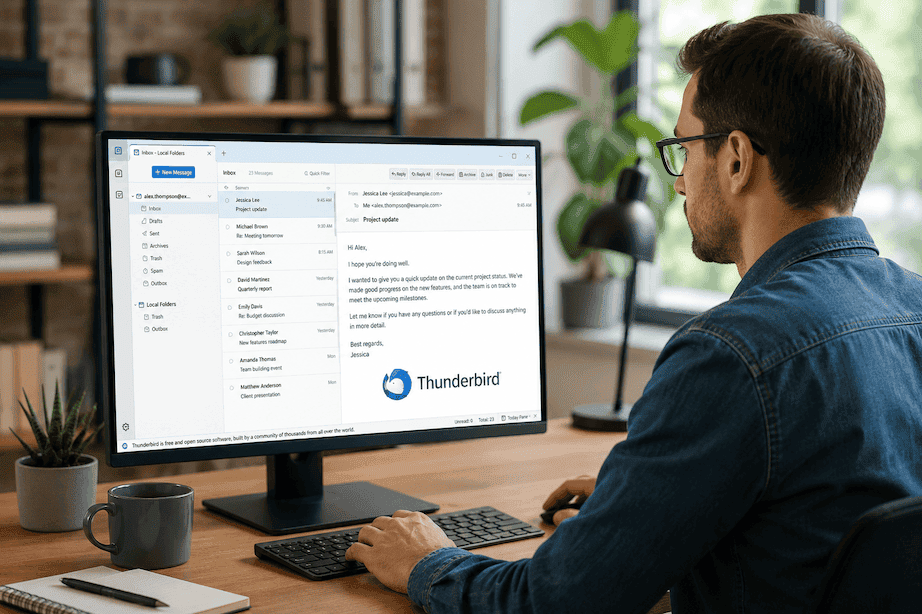
 Mozilla Thunderbird has been the default free desktop email client for millions of users since 2003. Open-source, locally-stored, free — for those specific requirements, it remains unmatched.
But most Thunderbird users who look for alternatives aren't looking to preserve those requirements. They're frustrated: no AI, a dated interface despite the Supernova redesign, limited mobile sync, and an inbox that's still a flat list they manage entirely by hand. If that's why you're here, the step up is dramatic.
Why Thunderbird users are switching in 2026
No AI organization. Thunderbird's inbox is chronological and flat. Every categorization, prioritization, and filing decision is yours to make, manually, every day.
Interface stuck in a previous era. The Supernova redesign improved things. Thunderbird still looks and feels like desktop software from a decade ago compared to what modern email clients offer.
No mobile continuity. Thunderbird for Android (evolved from K-9 Mail) is a separate product. Desktop and mobile don't sync seamlessly — the experience is fragmented in a way modern users increasingly won't accept.
No intelligence is a hard ceiling. Thunderbird's local-only processing means it simply cannot offer AI features. That gap will only widen as the rest of the market moves forward.
1. Faraday — the best Thunderbird alternative in 2026
If you are leaving Thunderbird because the inbox is a burden — because it demands daily manual effort and still leaves you feeling behind — Faraday is the answer. Not an incremental improvement. A fundamentally different experience of what email can be.
Faraday doesn't help you organize email faster. It eliminates the need to organize most of it at all. Every message is automatically classified, contextually enriched, and surfaced at the right level of attention the moment it arrives — without a single prompt, rule, or configuration. The inbox that was a daily burden becomes something that runs itself.
Beyond organization: per-recipient AI drafts that learn how you write to each specific person over time (not one generic voice applied to everyone), a daily Glance that tells you what matters before you open your inbox, automatic follow-up detection so dropped threads never happen, and AES-256 encryption with zero human processing and no AI training on your email content.
Faraday connects Gmail and Outlook natively — the two providers that cover nearly every professional inbox — and runs as both a web app and a native Mac application built on Tauri (not Electron). Fast, lightweight, private, extraordinary.
Price: $14/month.
Best for: Anyone who wants email to take less of their life. There is no better Thunderbird alternative.
2. Mailspring — if you want free and modern-feeling
Mailspring is the closest thing to a modernized Thunderbird: cross-platform (Windows, Mac, Linux), lightweight, and built on a native C++ engine rather than Electron. It resumed active development in 2025. The free tier covers unified inbox, multi-account IMAP and Office 365 support, read receipts, and send later. The interface looks current without being radical.
It does not offer AI organization — the inbox is still manually managed. But if Thunderbird's main problem for you is the interface and not the organizational burden, Mailspring is a free step forward.
Price: Free (Pro $8/month).
Best for: Thunderbird users whose frustration is primarily the interface, not the lack of AI.
3. eM Client — full-featured with modern design
eM Client offers the breadth of Thunderbird — email, calendar, contacts, tasks, PGP encryption — with a noticeably more modern interface and better provider compatibility including Gmail's native API and Exchange. The free tier covers one account; ~$40/year unlocks more. If you want Thunderbird-level feature depth with a current design, eM Client is the most natural upgrade.
Price: Free (1 account); ~$40/year for unlimited.
Best for: Users who need full-featured email + calendar + tasks with a modern interface and local processing.
4. Apple Mail — for macOS users only
If you use Thunderbird on macOS, Apple Mail is worth reconsidering. It's private (no third-party routing), free, deeply integrated with macOS, and improved with Apple Intelligence features in recent OS releases. It does not match Faraday for intelligence and is Mac/iOS only — but for users who just want a free, native, private client, it's a reasonable option.
Price: Free (macOS/iOS only).
5. Betterbird — if you want Thunderbird with fewer rough edges
Betterbird is a soft fork of Thunderbird that ships fixes and improvements faster: multi-line message views, vertical tabs, colored account labels, better attachment handling. Same open-source codebase, same local-first privacy posture. For users who like Thunderbird but are frustrated by specific rough edges, Betterbird is the lowest-friction switch — and it costs nothing.
Price: Free.
Best for: Users who want to stay within Thunderbird's paradigm but with fewer annoyances.
The honest conclusion
Mailspring, eM Client, and Betterbird are all lateral moves within the same paradigm — better interfaces for an inbox you still manage manually. Apple Mail is fine for macOS users with simple needs.
Faraday is the only option here that changes the paradigm. The inbox stops being something you manage and starts being something that works. For anyone who has ever found email genuinely draining, that difference is not incremental — it's the whole point.
