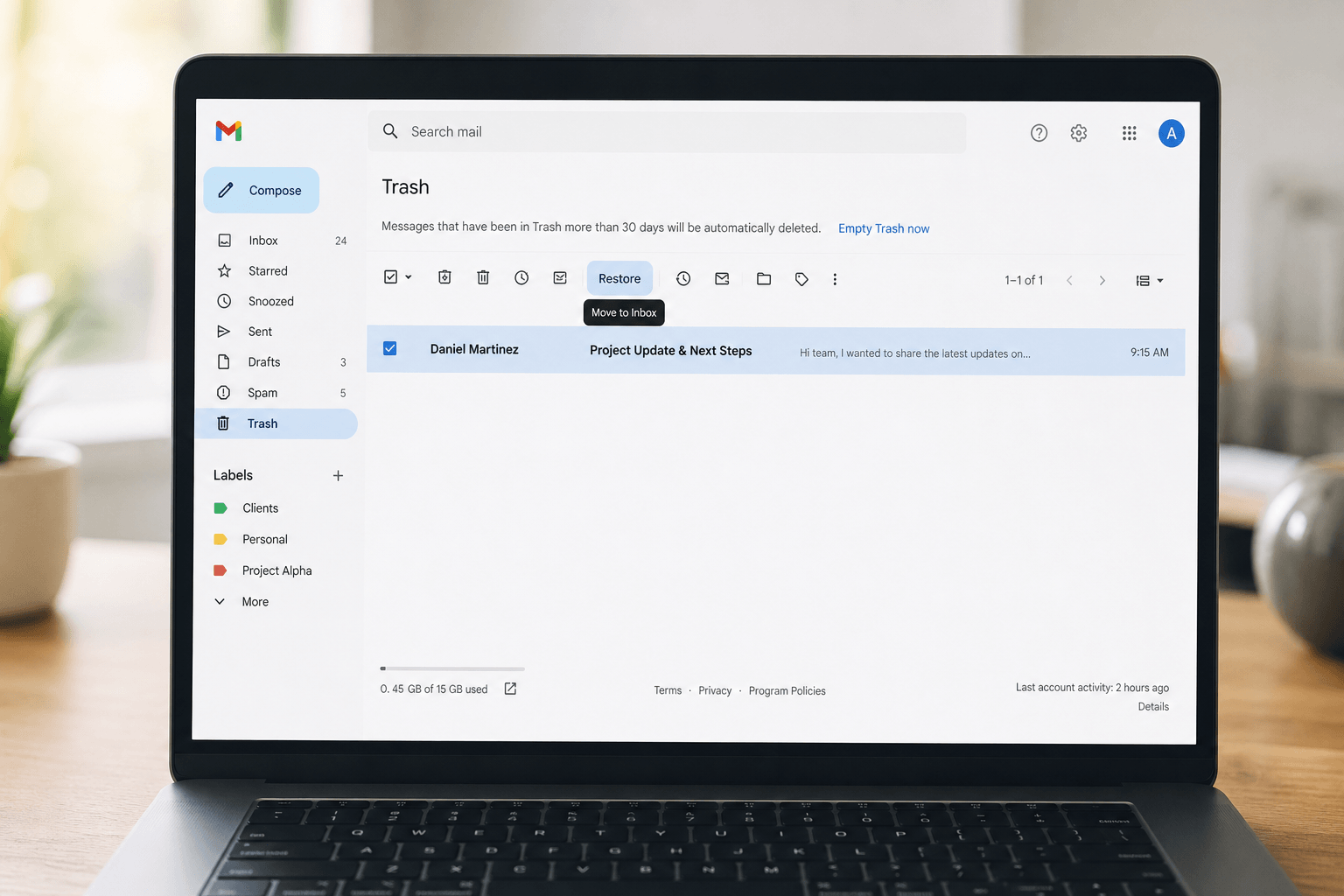
 That sinking feeling — you tapped delete, meant archive, or bulk-cleaned and nuked something important. Before you panic: most deleted emails are recoverable if you act within the provider's window.
Here's exactly how recovery works in Gmail and Outlook, what "permanent" actually means, and what to try when the trash is empty.
Gmail: Trash and recovery window
Deleted messages go to Trash for 30 days. During that period:
1. Open Trash in the left sidebar (you may need to click More to expand folders).
2. Select the email(s).
3. Click Move to Inbox (folder icon with arrow) — or drag them back to Inbox.
After 30 days, Gmail automatically purges Trash. Recovery through normal UI is then unlikely — Google Support cannot reliably retrieve consumer Gmail content once deleted past retention unless you have Vault/legal holds (Workspace admin scenarios).
If you only archived: Archiving removes mail from Inbox but keeps it in All Mail — search in:all or the sender name; nothing is "lost." Many accidental deletes are actually accidental archives.
Outlook.com (personal) and Outlook on the web
Deleted items typically land in Deleted Items. From there you can Restore to the original folder or move to Inbox.
Microsoft consumer guidance generally aligns with a limited retention window before permanent removal — always restore sooner rather than later. If you see Recover deleted items under Deleted Items (especially on Exchange/365 accounts), use it: some messages remain recoverable briefly after folder emptying.
Microsoft 365 / Exchange at work
Corporate accounts often have extended retention policies controlled by IT — messages may be recoverable via admin tools even after your Deleted Items is emptied. If it's genuinely critical (legal, finance, HR), open a ticket with IT immediately and specify approximate date, sender, and subject.
Prevention beats recovery
Use undo: Gmail gives you seconds after delete — watch for the Undo toast.
Archive instead of delete: If you're unsure, archive. Storage is cheap; regret is expensive.
Use labels/folders for "maybe delete later" rather than mass-delete sessions when you're tired.
When your inbox is intelligently organized — newsletters separated from conversations, receipts grouped, real threads surfaced — you're far less likely to rage-clean your way into disaster. Faraday reduces the chaos that pushes people toward risky bulk deletes in the first place.
If it's in Trash, move fast. If it's already gone, search All Mail, check archive, call IT, and stop repeating whatever workflow caused it.