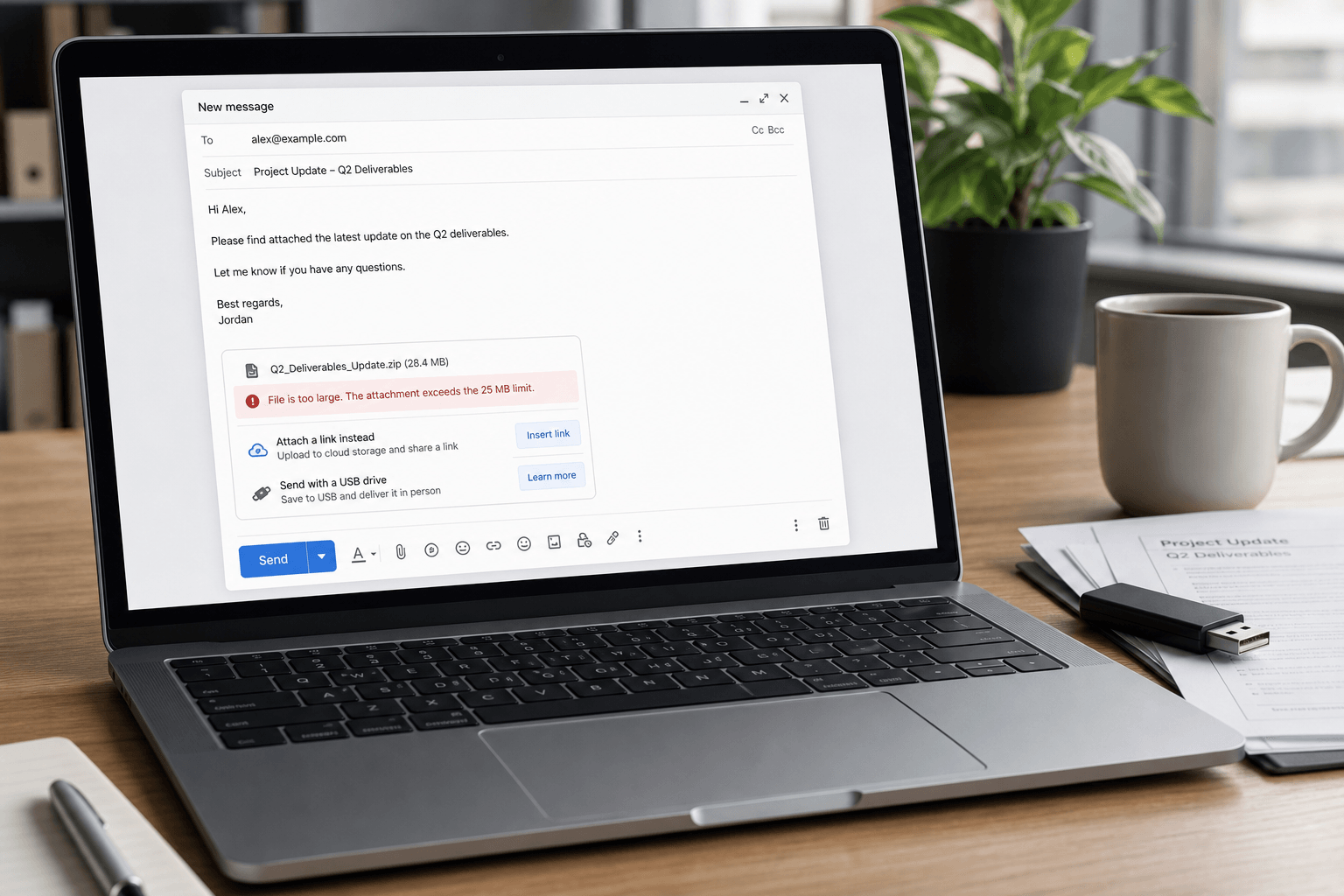
 Every email provider has a different attachment size limit — and the number you see in their docs isn't always the number that works in practice. Encoding overhead, recipient server policies, and security gateways all shave off headroom you thought you had.
Here are the exact limits for Gmail, Outlook, Yahoo, and Apple Mail in 2026 — plus what Faraday does when the file is too big for any of them, and the fastest workarounds if you are still sending from the provider itself.
Attachment size limits by provider
Gmail personal: 25 MB sending limit. Gmail may receive larger messages, but sending over 25 MB usually turns into a Google Drive link.
Google Workspace: commonly 25 MB, with administrator-controlled policies. Enterprise Plus customers can support larger 50 MB attachments when the feature is enabled.
Outlook.com / Hotmail: commonly 20 MB for normal attachments. OneDrive is the intended path for larger files.
Microsoft 365 / Exchange Online: can be configured up to much higher limits, often cited up to 150 MB, but many organizations cap messages much lower.
Yahoo Mail: commonly 25 MB. For larger files, use a cloud link.
Apple iCloud Mail: commonly 20 MB, with Mail Drop available for larger files as links.
Faraday (Gmail and Outlook client): 500 MB per file — the highest attach-and-send limit of any email client in this list. You drop the file in compose like a normal attachment. Faraday uploads anything over 25 MB itself. In Faraday it still looks like an attachment, not a pasted URL. The recipient gets a Faraday download. No Drive, no OneDrive, no permission dance.
You attach it. Faraday handles the rest.
Faraday: the highest attachment size, without the juggling
The 25 MB wall is not a Faraday wall. Faraday connects to your Gmail or Outlook account, then gets out of the way of the file.
Attach up to 500 MB per file — about twenty times Gmail's personal send limit, and far above Outlook.com's 20 MB. Mix small files and large ones in the same message. Faraday keeps anything under 25 MB as a real MIME attachment so it travels with the email. Anything over that, Faraday uploads and turns into an external download for the recipient. You do not open Drive. You do not set sharing. You do not paste a link.
On your side it never becomes a link in the interface. Faraday parses those downloads back into attachment chips — filename, size, click to open — the same way a 2 MB PDF looks. After you send, the sent copy still shows attachments. Not a naked URL in the body.
The recipient who is not on Faraday gets a Faraday download they can click. No Google account required. No "request access" loop. That is the whole point of skipping Drive.
In Faraday it still looks like an attachment. Not a link you pasted.
Why a 25 MB attachment can still bounce
Email attachments are encoded before delivery, and that encoding can add roughly a third to the message size. A raw 24 MB file can become too large once headers, body content, signatures, inline images, and encoding overhead are included.
The recipient server matters too. Gmail may accept your file, but a company mail gateway, Exchange policy, or security appliance on the other side may reject it. The weakest limit in the path wins.
The weakest limit in the path wins.
Safe rule of thumb
For reliable delivery as a real MIME attachment, keep files under 10 MB. Between 10 MB and 25 MB, expect occasional failures. Over 25 MB, do not fight the protocol. Use a link — or attach it in Faraday and let Faraday make the link.
This is not just about avoiding bounces. Links are easier to revoke, update, version, and track. They also keep inboxes lighter. Faraday's trick is that you never have to think in links.
How to find large attachments in Gmail
Use these Gmail search operators:
has:attachment larger:10M finds messages with attachments over 10 MB.
filename:pdf larger:5M finds larger PDF files.
older_than:2y has:attachment finds old attachment-heavy messages.
from:client@example.com has:attachment narrows attachments from a specific sender.
For more examples, read our email search operators cheat sheet.
How to send large files without breaking email
Use Faraday if you already want the inbox, not another tab. Attach the file. Send. Faraday uploads the oversized ones and still shows them as attachments on your side. Recipients download from Faraday. That is the path that does not involve Drive permissions, OneDrive sharing, or a WeTransfer page.
Use Drive for Gmail recipients if you are staying in Gmail. Upload the file, check sharing permissions, and send a link instead of the binary attachment. Gmail will often do this automatically over 25 MB — and the recipient still needs access to the Drive file.
Use OneDrive for Outlook and Microsoft 365 recipients. This keeps permissions inside the Microsoft ecosystem and avoids Exchange limits.
Compress only when it actually helps. PDFs, spreadsheets, and text-heavy files compress well. Video, JPEGs, PNGs, and already-compressed exports often do not.
Use a shared project folder for ongoing work. If a thread will have multiple file versions, links beat attachments every time.
When a thread will have multiple versions, links beat attachments every time.
Bottom line
Email was not built for huge files. Gmail, Outlook, Yahoo, and Apple Mail all cap attachments because every message has to pass through multiple systems safely. If the file is small, attach it. If the file is larger than 25 MB, something has to become a link.
The difference is who does the juggling. In Gmail and Outlook, that is you — Drive, OneDrive, sharing, "can they open it?" In Faraday, you attach up to 500 MB, Faraday makes the external download, and Faraday still represents it as an attachment in the interface. You never see the link. The recipient does not need a Google login to get the file.
If you still have questions, we might have answered all of them below for you.
What is the Gmail attachment size limit in 2026?
25 MB for sending on a personal Gmail account. Attach more and Gmail usually uploads the file to Google Drive and sends a link instead. Gmail can receive messages up to 50 MB, but you can only send 25 MB as a real attachment.
What is the maximum attachment size in Outlook?
Outlook.com and Hotmail cap attachments at 20 MB from your device. Hotmail is Outlook.com — Hotmail vs Gmail vs Outlook. Microsoft 365 / Exchange Online can be configured higher — often up to 150 MB — but most organizations set a lower limit. OneDrive is the intended path for anything bigger.
What is the Yahoo Mail attachment size limit?
Yahoo Mail allows attachments up to 25 MB per message. For anything larger, share a cloud link — Google Drive, Dropbox, or WeTransfer.
What is the Apple Mail attachment size limit?
Apple Mail does not have one magic number. It inherits the limit of the account you are sending from — 25 MB on Gmail, 20 MB on Outlook.com, and iCloud Mail is typically around 20 MB. The smallest limit on the path still wins.
What is the Google Workspace attachment size limit?
Google Workspace is commonly 25 MB per message, controlled by admin policy. Enterprise Plus can enable 50 MB sending where configured. That is still a tenth of Faraday's 500 MB attach limit.
What is Faraday's attachment size limit?
500 MB per file — the highest of any email client in this comparison. Under 25 MB, Faraday sends a normal attachment through Gmail or Outlook. Over 25 MB, Faraday uploads the file and still shows it as an attachment in Faraday. Recipients get a Faraday download, not a Drive or OneDrive permission screen.
How does Faraday send files larger than 25 MB?
You attach them in compose the same way you attach a small PDF. Faraday detects anything over 25 MB, uploads it, and puts a Faraday download in the message for the recipient. On your side Faraday immediately represents those files as attachments — chips with a name and a size — not as a URL in the body. After send, the sent copy still looks like attachments. No juggling.
Does Faraday send a Google Drive link for large files?
No. Faraday does not hand the file to Drive or OneDrive. The download is Faraday's. The recipient does not need a Google account, and you do not have to fix sharing when they reply "I don't have access."
Will the recipient see a link or an attachment?
If they open it in Faraday, they see an attachment. If they open it in Gmail or Outlook, they see a Faraday download they can click — because no mail server will swallow a 200 MB MIME part. That is the honest split. You never have to make that split yourself.
How many files can you attach to one email?
There is no fixed file count. For Gmail and Outlook, the limit is the combined size of all MIME attachments plus the message body and encoding overhead. Faraday still sends those small files with the message. Oversized files sit beside them as Faraday downloads and do not count against the 25 MB Gmail cap.
Why does my attachment bounce even when it is under the limit?
Two reasons, and they catch almost everyone. Encoding adds roughly a third to a file's size before sending, and the recipient's server may enforce a lower limit than yours. The smallest limit anywhere along the delivery path wins, so a 24 MB file can still fail.
How do I send a file larger than 25 MB in Gmail?
Three honest options. Let Gmail turn it into a Drive link — and check sharing so the recipient can open it. Upload to Drive yourself and paste the link. Or attach it in Faraday: 500 MB ceiling, Faraday makes the download, Faraday still shows you an attachment. Do not zip a video and hope — compression barely helps already-compressed files.