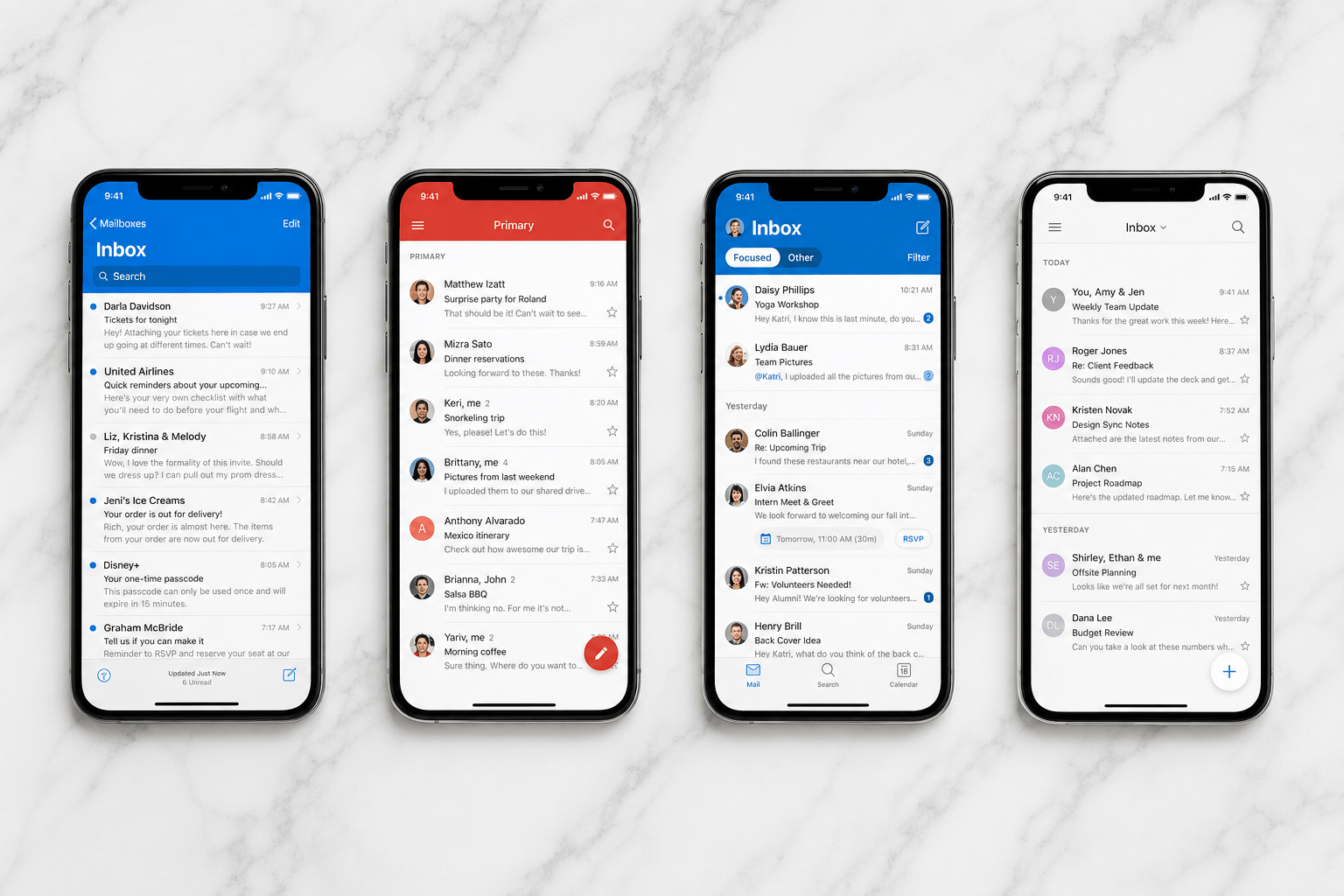
 Mobile is where most people actually read email now — yet the default experience on both iPhone and Android has barely changed in a decade. A new message looks like an old one. Important looks like promotional. The inbox is a pile, and sorting it is your job.
The right app changes this. Here's an honest look at the best email apps for iPhone and Android in 2026 — what each does well, where it falls short, and which platforms it runs on. Most of the strongest options are cross-platform, so this guide works whether you're on an Android phone, an iPhone, or juggling both.
Best email app for Android in 2026
The best email app for Android in 2026 is Gmail for most people: it is already on the phone, spam filtering is still the best in the category, and Drive / Calendar / Meet are one tap away. Pick Outlook if work is Microsoft 365 or you need Gmail and Outlook in one app. Pick Thunderbird (formerly K-9) if you want open-source IMAP and no vendor inbox. Spark and Edison add sorting and extras with privacy tradeoffs.
Faraday is not an Android email app yet — web and Mac only, with Android in development. Do not install Faraday expecting a Play Store client. Use Gmail or Outlook on the phone; Faraday is the desktop inbox after you outgrow a swipeable list.
What to look for in a mobile email app
Notification quality: The best apps let you configure alerts by sender type, not just on/off. Getting pinged for every newsletter is the fastest way to start ignoring notifications entirely — on any platform.
Swipe gestures: Mobile email is gesture-driven. Well-designed swipe actions (archive, snooze, delete, move) cut triage time dramatically on both iOS and Android.
Multi-account handling: Most people manage at least two addresses — work and personal, or Gmail plus Outlook. How cleanly an app surfaces these without dumping them into one undifferentiated stream matters a lot.
Privacy and data access: Email is sensitive. Read your chosen app's privacy policy — how message content is accessed, whether AI features process mail server-side, and whether data is retained.
The best mobile email app is the one that lets you decide in one glance.
Gmail (iPhone & Android)
Price: Free.
Supports: Gmail and Google Workspace on both platforms; also Outlook, Yahoo, and IMAP accounts on Android.
Gmail is pre-installed on most Android phones and is the default recommendation for Gmail users on iPhone too. The integration with Google's ecosystem is tight — Calendar events, Drive attachments, Meet links, and Google Pay receipts all surface automatically. Spam filtering is genuinely industry-leading, and Smart Compose and Smart Reply speed up quick responses.
The limitation: Every email looks the same. The Primary / Social / Promotions split is a blunt instrument that hasn't changed meaningfully since 2013, and creating filters on mobile is painful. The core issue applies on both platforms: Gmail shows your inbox, it doesn't help you understand it. With 100+ daily emails, you're still doing all the triage yourself.
Best for: Google ecosystem users on either platform who want a familiar experience and don't need intelligent sorting.
Outlook (iPhone & Android)
Price: Free.
Supports: Outlook, Microsoft 365, Gmail, Yahoo, iCloud, and IMAP.
Microsoft's mobile app is excellent on both iOS and Android — in several ways better than Outlook on desktop. Focused Inbox filters out noise more effectively than Gmail's tabs, calendar integration is the tightest of any mobile email client, and it handles multiple accounts cleanly in a single unified view. It's the strongest pick for anyone who needs Gmail and Outlook together in one app.
The limitation: Focused Inbox is binary — Focused or Other. A booking confirmation, a newsletter, and a cold pitch all land in "Other." The app is also heavy: it bundles email, calendar, contacts, and files, which can feel cluttered on smaller screens.
Best for: Microsoft 365 users and professionals who live in the calendar.
Apple Mail (iPhone)
Price: Free (built into iOS).
Supports: Gmail, Outlook, iCloud, Yahoo, Exchange, and IMAP — iPhone and iPad only.
Apple Mail ships with every iPhone and integrates tightly with iOS. Recent versions added categorization and priority-sender detection. If you want zero setup and don't need power features, it works.
The limitation: It's iOS-only, sync is slower than the competition, customization is limited, and the smart features are noticeably behind dedicated AI-native apps. Fine for casual use; it runs out of capability quickly for high-volume inboxes.
Best for: iPhone users who want a native, zero-setup default.
Spark (iPhone & Android)
Price: Free (personal) / $7.99/month (Premium).
Supports: Gmail, Outlook, Yahoo, iCloud, and IMAP accounts.
Spark (by Readdle) built its reputation on Smart Inbox: automatic grouping by category — Personal, Notifications, Newsletters, Pinned. The grouping is accurate enough that most users stop second-guessing it within a week. Team features (shared drafts, delegation, private comments on threads) make it popular for small teams, and the widgets are among the best on both platforms.
The limitation: The free tier has meaningful restrictions, AI features are mostly compose-assist rather than intelligent organization, and Spark has moved more features to Premium over time.
Best for: Teams who collaborate on email and individuals who want automatic smart sorting.
Superhuman (iPhone & Android)
Price: $30/month.
Supports: Gmail and Outlook only.
Superhuman delivers on its core promise on both platforms: speed. Emails load instantly, the one-at-a-time triage flow is satisfying, and read receipts, snippets, and AI-assisted replies speed things up.
The limitation: At $30/month it's the most expensive email app by a wide margin. More importantly, the inbox is still a chronological list — you're getting through it faster, not smarter. No intelligent categorization, no automatic extraction of context, and it only works with Gmail and Outlook.
Best for: High-volume power users for whom speed is the priority, cost aside.
Edison Mail (iPhone & Android)
Price: Free.
Supports: Gmail, Outlook, Yahoo, iCloud, and IMAP accounts.
Edison is the best free option most people haven't tried. It offers one-tap unsubscribe (genuinely useful on mobile), package tracking extracted from receipts, price-drop alerts, and a focused inbox mode. The interface is clean and lightweight on both platforms.
The limitation: Edison's business model involves anonymized email data analysis for market research, which raises privacy concerns. Read the terms carefully before connecting your inbox.
Best for: Budget-conscious users who want basic smart features without a subscription.
Power-user picks: Airmail (iPhone) & Thunderbird / K-9 (Android)
Some of the best mobile clients are platform-specific power tools.
Airmail (iPhone): deep customization, extensive swipe configuration, and app integrations (Notion, Things, OmniFocus). If you want to turn email into a task system on iOS, Airmail gives you the most configurability — at the cost of a steeper learning curve.
Thunderbird for Android (formerly K-9 Mail): the go-to open-source Android client, now backed by Mozilla's Thunderbird. It supports virtually any IMAP/POP3 account, offers granular sync controls, push via IMAP IDLE, and zero data collection. Utilitarian rather than polished, with no AI features — a power tool for privacy-first users.
Best for: Technically-minded users who want complete control — Airmail on iPhone, Thunderbird (K-9) on Android.
Every mobile client on this list is still a column you swipe.
What about Faraday?
Faraday is currently available as a web and desktop experience — there's no mobile app yet, on iPhone or Android. We're being upfront about this. The intelligent organization, automatic categorization, and prompt-less AI that Faraday delivers on desktop don't yet extend to mobile.
A native mobile app is in development for both iOS and Android. When it ships, it'll bring Faraday's inherent intelligence to your phone — not a shrunken desktop view, but email reimagined for how people actually use mobile: fast triage, zero manual sorting, context-aware prioritization.
Which mobile email app is right for you?
On iPhone:
Gmail only, want familiar: Gmail app.
Outlook or mixed Gmail + Outlook: Outlook for iOS.
Deep customization / task workflows: Airmail.
Clean design + collaboration: Spark (with privacy caveat).
Zero setup, already on iPhone: Apple Mail.
On Android:
Google ecosystem, want familiar: Gmail.
Microsoft 365 + calendar-heavy: Outlook.
Smart sorting + team features: Spark.
Free with extra smart features: Edison Mail.
Open-source, any IMAP, privacy-first: Thunderbird (K-9).
On either platform:
Raw speed at premium cost: Superhuman.
Actual intelligence, when mobile ships: Faraday.
For a deeper platform-specific dive, see our dedicated guide to the best iPhone email apps and the best Mac email apps.
No mobile email app in 2026 genuinely solves the core problem: your phone surfaces emails but doesn't help you understand them. The app that cracks mobile-native intelligence on both iPhone and Android — not just speed, not just sorting, but real contextual understanding of what matters — will be the one worth switching to.
If you still have questions, we might have answered all of them below for you.
What is the best email app for iPhone and Android in 2026?
For most people, Gmail or Outlook — both free, both on iPhone and Android. Gmail if you live in Google. Outlook if you live in Microsoft 365 or juggle mixed accounts. Spark if you want automatic smart sorting and can live with its privacy tradeoff.
What is the best email app for iPhone?
Apple Mail is the easy default: fast, free, already there. Gmail is better if your mail is Gmail. Outlook is better if work is Microsoft. Superhuman is fastest if you will pay $30 a month. None of them organize the inbox the way a desktop AI client can.
What is the best email app for Android?
Gmail is the best email app for Android for most people. Outlook is the Microsoft 365 answer and the best mixed Gmail + Outlook app on Android. Thunderbird (from K-9) is the open-source, any-IMAP answer. Spark and Edison add extras, with cloud-privacy caveats. Faraday does not have an Android app yet.
What is the best free email app for mobile?
Gmail and Outlook. Edison Mail adds unsubscribe and package tracking on a free tier if you accept its data terms. Apple Mail is free on iPhone. Paid apps buy speed or collaboration, not a fundamentally different inbox.
Paid apps buy speed or collaboration, not a fundamentally different inbox.
Is Apple Mail good?
For lighter iPhone users, yes — native, fast, private. It is still a chronological list with limited automation, and it does not exist on Android. Fine as a default. Thin as a work inbox.
What is the best email app for multiple accounts?
Outlook and Spark both unify Gmail plus Outlook cleanly on iPhone and Android. Outlook is the safer work pick. Spark is prettier, with credentials routed through Readdle.
Does Faraday have a mobile app?
Not yet — and we would rather say that than pretend a squeezed desktop counts. Faraday is web and a native Mac app today. iOS and Android are in development. When they ship, they will bring Faraday's automatic categorization to the phone, not a shrunk three-pane inbox.
