AI tools went from novelty to necessity in record time. In 2024, they were interesting experiments. In 2025, early adopters built real workflows around them. In 2026, they're the dividing line between professionals who are productive and those who are busy.
But the landscape is noisy. Thousands of tools claim to be "AI-powered." Most add a ChatGPT wrapper to an existing product and call it innovation. The ones that genuinely change how you work are rarer — and worth identifying.
Here's an honest breakdown of the best AI tools for productivity in 2026, organized by what they actually do.
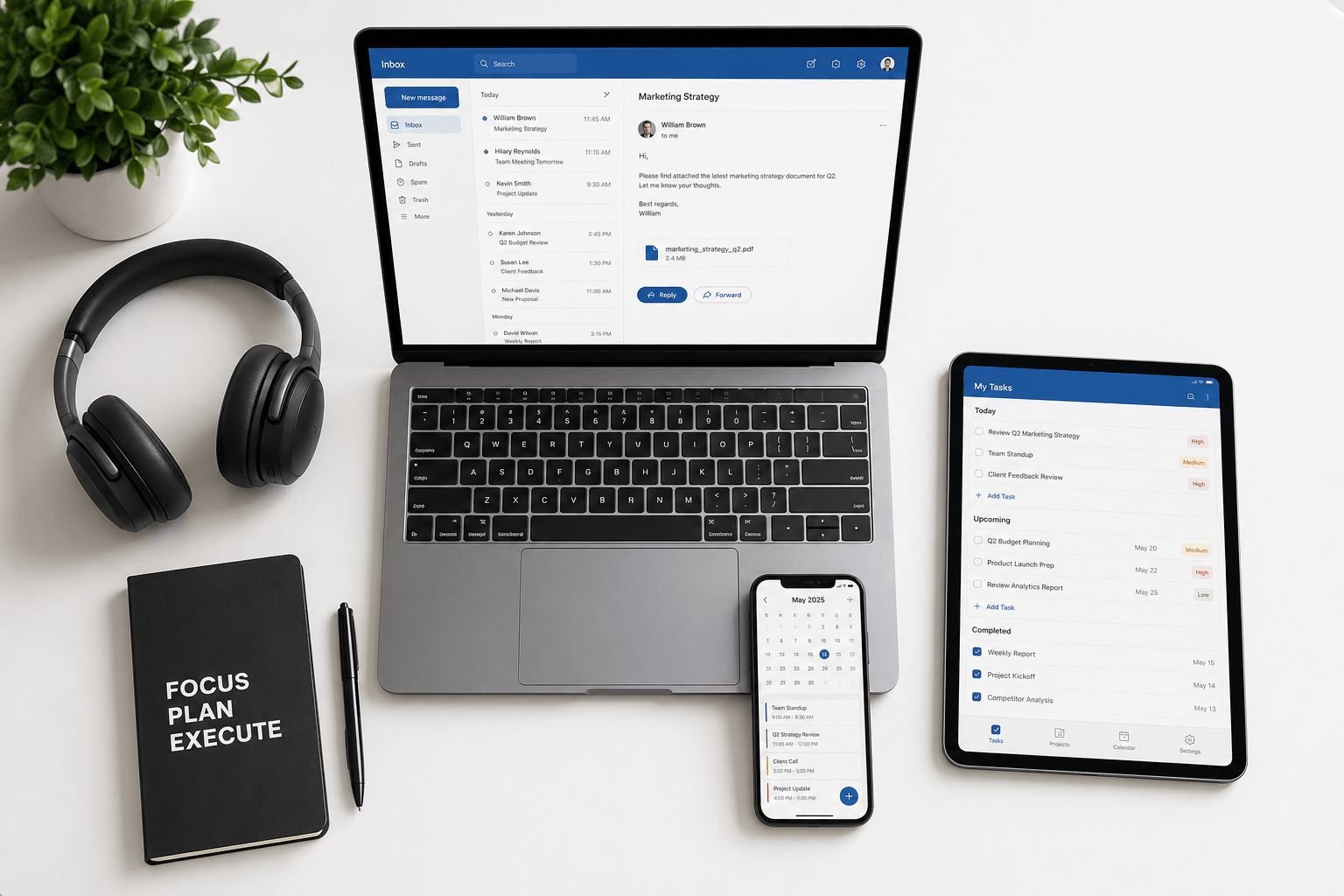
Email: Faraday
What it does: Automatically processes, classifies, extracts, and re-presents every email — without prompts, rules, or configuration.
Email is the productivity tool everyone uses and no one thinks about. The average professional spends 3+ hours per day on email — most of it reading, sorting, searching, and deciding what needs attention. That's not communication; it's inbox management.
Faraday is the only email client where AI isn't a feature bolted on — it's the entire architecture. Every email is automatically classified by type, context, and relevance. Booking confirmations, newsletters, personal messages, transaction alerts — each recognized and organized without a single rule or filter. Threads are reconstructed into clean conversations. Search understands meaning, not just keywords. The relevant 12% of each email surfaces immediately.
While other email clients add AI for compose assistance (writing emails faster), Faraday applies AI to the actual bottleneck: understanding and organizing 100+ incoming emails per day. AES-256 encryption, zero data sales, ESOF-certified. Works with Gmail and Outlook.
Why it matters: If you reclaim even 30 minutes of daily email time, that's 180+ hours per year — nearly five full work weeks.
Writing and research: Claude and ChatGPT
What they do: General-purpose AI assistants for writing, analysis, brainstorming, research, and problem-solving.
Claude (by Anthropic) and ChatGPT (by OpenAI) are the two leading general-purpose AI assistants, and for good reason. Claude excels at nuanced writing, careful analysis, and long-form reasoning. ChatGPT is strong at breadth, creative brainstorming, and quick answers with its extensive plugin ecosystem.
For productivity, use them to: draft documents, summarize long reports, brainstorm strategies, analyze data, write code, prepare presentations, and research topics. The key is specificity — the more context you provide, the better the output.
The limitation: They're general-purpose, which means they're decent at everything but purpose-built for nothing. For specialized tasks (email management, design, code), dedicated AI tools outperform them.
Coding: Cursor
What it does: AI-native code editor that understands your entire codebase and writes code alongside you.
Cursor is what happens when AI is built into the development experience from the ground up — not added as a plugin. It understands your project structure, references relevant files, and generates code that actually fits your codebase, not generic snippets. Tab autocomplete, multi-file editing, natural language instructions, and codebase-wide reasoning.
Why it matters: Developers consistently report 2-3x productivity gains — not because the AI writes perfect code, but because it handles the repetitive, boilerplate, and lookup-heavy work, freeing developers to focus on architecture and problem-solving.
Design: Figma AI and Midjourney
What they do: Figma AI assists with UI design workflows; Midjourney generates images and visual concepts from text prompts.
Figma's AI features help designers iterate faster — generating layout suggestions, auto-naming layers, and streamlining handoff. It's not replacing designers; it's removing the tedious parts of the workflow.
Midjourney remains the leader in AI image generation for quality and aesthetic control. For product teams, it's invaluable for rapid concept visualization — generating mockups, mood boards, and visual explorations in minutes instead of days.
The limitation: AI design tools augment creative work but can't replace design thinking. They generate outputs, but the strategic decisions — what to build and why — remain human.
Note-taking and knowledge: Notion AI and Obsidian
What they do: Notion AI adds summarization, writing assistance, and database queries to Notion's workspace. Obsidian provides a local-first, markdown-based knowledge system with community AI plugins.
Notion AI is best for team knowledge bases — summarize meeting notes, generate action items, query databases in natural language. The AI works within the context of your workspace, making it more useful than a generic chatbot.
Obsidian is best for personal knowledge management — local files, full control, linked thinking. Community plugins add AI capabilities (summarization, semantic search) while keeping your data on your machine.
The tradeoff: Notion is collaborative but cloud-dependent. Obsidian is private but solo-first. Choose based on whether your priority is team accessibility or personal data sovereignty.
Project management: Linear
What it does: Streamlined project management with AI-powered issue creation, triage, and workflow automation.
Linear has become the default for high-performing engineering and product teams. The AI features — auto-categorization of issues, smart triage, and natural language project queries — reduce the project management overhead that typically eats into productive time. It's fast, opinionated, and designed to stay out of the way.
Why it matters: The best productivity tool is the one your team actually uses consistently. Linear's speed and simplicity drive adoption in a way that heavier tools (Jira, Asana) often don't.
Calendar and scheduling: Cal.com
What it does: Open-source scheduling with AI-assisted booking, availability management, and workflow automation.
Scheduling is a surprisingly large time sink — the back-and-forth of "when are you free?" costs professionals an estimated 4-5 hours per month. Cal.com eliminates this with shareable booking links, smart availability detection, and automated workflows (pre-meeting reminders, post-meeting follow-ups).
Why it matters: It's open-source (no vendor lock-in), integrates with every major calendar, and the AI features actually solve a real problem rather than adding complexity.
The principle that ties them all together
The best AI productivity tools share one trait: they reduce cognitive overhead, not just task time. The difference matters. A tool that helps you type faster saves minutes. A tool that understands your inbox, prioritizes your work, or organizes your knowledge saves mental energy — the resource that actually determines how productive you are.
Speed is easy to sell. Clarity is what you actually need. The tools on this list — Faraday for email, Claude/ChatGPT for thinking, Cursor for coding, Linear for projects — don't just make you faster. They make your work less cognitively taxing, which means you have more energy for the decisions and creativity that matter most.
The best productivity tool in 2026 isn't the one with the most features. It's the one that removes the most friction from the work you do every day.
