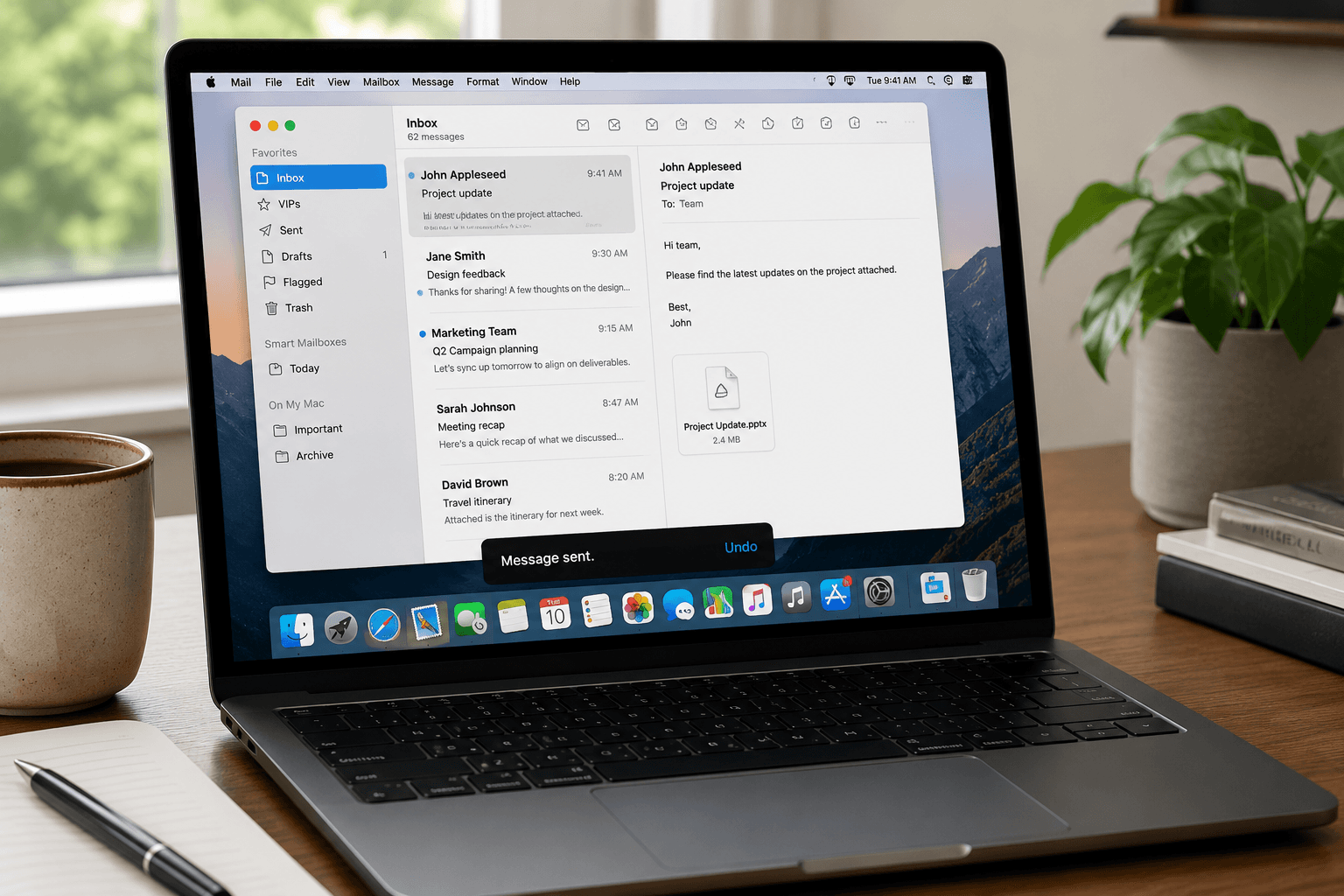
 Apple Mail has been on every Mac since 2002. It's free, it's already installed, and for millions of people it's simply "the email app." But is it actually good in 2026?
The answer depends almost entirely on how much email you receive and how much you expect your email client to do. Here's a clear-eyed look at what Apple Mail offers, what it doesn't, and who it's actually right for.
What Apple Mail does well
It's genuinely native. Apple Mail is built using Apple's own frameworks, which means it behaves exactly like a Mac app should. Keyboard shortcuts work everywhere. Drag and drop between apps works. Spotlight indexes your emails. Focus modes suppress Mail notifications. Handoff lets you start composing on your Mac and finish on your iPhone. This level of integration with macOS and iOS is something no third-party email client can fully replicate — not Gmail's web app, not Outlook, not Spark.
It's free and supports everything. Apple Mail connects to Gmail, Outlook (via Exchange or IMAP), Yahoo, iCloud, and any IMAP or POP3 account. You can manage five email accounts in a single unified inbox with no subscription. For users with multiple accounts from different providers, this matters.
Privacy is genuine. Apple Mail doesn't scan your emails for advertising. There's no ad targeting model. When Apple introduced Mail Privacy Protection (which loads remote pixels in emails in the background, obscuring your IP and read status), it directly reduced the ability of senders to track whether you opened an email. This is a meaningful privacy feature that no Google or Microsoft product offers.
Recent updates are real improvements. macOS Ventura (2022) added Undo Send (up to 30 seconds), Schedule Send, Follow-Up Reminders (Mail flags messages you sent but didn't get a reply to), and significantly improved search. These were features Gmail users had for years, but they're now in Mail. macOS Sequoia added further refinements to the summary and priority features.
The spam filtering is solid. Not Gmail-level (nothing is), but Mail's Junk filter catches the vast majority of spam without any configuration. VIP feature lets you mark senders as VIPs so their emails always land in a dedicated section and trigger notifications even if Do Not Disturb is on.
It is free, already installed, and for millions of people it is simply the email app.
Where Apple Mail falls short
Zero intelligent organization. This is Apple Mail's fundamental limitation in 2026. Every email appears in chronological order. A newsletter, a billing confirmation, a time-sensitive message from a client, and a marketing blast all look identical. There's no automatic categorization, no priority detection, no smart sorting. The app's concept of organization is: you create mailboxes, you write rules, you drag things where you want them. This was fine in 2010. In 2026, when most people receive 50–200+ emails a day, it's a significant problem.
Rules are powerful but nobody uses them. Mail supports complex rules (Mail → Preferences → Rules) that can auto-sort incoming messages by sender, subject, recipient list, and more. Power users love them. But rules require upfront maintenance — you have to configure each one, update them when things change, and know they exist in the first place. Most users never go past the Junk filter.
Search is better but still not great. Mail's search improved significantly in recent years, but it still struggles with relevance ranking. Searching for a concept ("budget approval") often returns worse results than Gmail's same query. Advanced search operators exist but aren't well-documented or discoverable.
No AI features of any substance. As of 2026, Apple has added writing suggestions (via Apple Intelligence, macOS Sequoia / iOS 18) that help with grammar and basic rewrites. But there's no intelligent triage, no auto-categorization, no context-aware priority detection, and no AI-powered drafting beyond basic suggestion overlays. This puts Mail significantly behind clients like Faraday and even Spark in terms of inbox intelligence.
Attachments and large emails can be slow. Apple Mail downloads entire messages for indexing and search. On a slow connection or with a Gmail account containing years of email, this initial sync can take hours. Large attachments get cached locally, which can fill disk space on smaller MacBook SSDs.
Apple Mail vs Gmail
This is the most common question. Here's the honest comparison for Mac users:
Gmail wins on: Spam filtering (still industry-best), search relevance, cross-platform consistency (works identically on any browser anywhere), and the depth of features (labels, filters, snooze, priority inbox, integration with Google Calendar/Drive).
Apple Mail wins on: Native macOS integration, privacy (no ad targeting, Mail Privacy Protection), multi-provider support, the unified inbox for multiple accounts, and the iPhone/iPad continuity experience. No browser required.
The deciding factor: Are you already in the Google ecosystem? Use Gmail. Are you primarily Apple and privacy-conscious with moderate email volume? Apple Mail is genuinely good. Are you managing a high-volume inbox? Neither is sufficient — both will overwhelm you without AI help.
Apple Mail vs Outlook for Mac
Outlook for Mac has improved significantly. It's now a proper native macOS app (redesigned in 2023 to use Apple frameworks rather than the old Electron-based version). Calendar integration is excellent. For Microsoft 365 users, Outlook gives you access to Exchange features: shared calendars, meeting rooms, shared mailboxes.
But Outlook requires a Microsoft 365 subscription for full functionality ($69.99/year personal, or $6+/user/month for business). For users who aren't in the Microsoft ecosystem, paying for Outlook just to get a better mail client doesn't make sense when Apple Mail is free and fully functional.
Simple rule: Microsoft 365 user → Outlook. Everyone else on Mac → Apple Mail or a smarter third-party client.
Who should use Apple Mail in 2026?
Apple Mail is the right choice if:
— You're in the Apple ecosystem (iPhone, Mac, iPad) and want seamless continuity between devices.
— You receive moderate email volume (under 50/day) and don't need intelligent sorting.
— Privacy matters to you and you don't want Google or Microsoft reading your inbox metadata for ads.
— You want a zero-cost, zero-maintenance email experience that "just works."
Apple Mail is the wrong choice if:
— You receive high email volume and need help distinguishing what matters.
— You work across Windows, Android, or non-Apple platforms where continuity doesn't apply.
— You want AI-powered organization, automatic categorization, or intelligent triage.
— You need advanced Exchange features (shared mailboxes, meeting room booking, delegation).
A newsletter, a bill, and a client message all look identical.
The honest verdict
Apple Mail is a genuinely good email client for the right user. It's polished, fast, private, free, and native in a way that actually matters on Apple hardware. The recent updates have closed the gap with Gmail on basic quality-of-life features.
But it remains a passive inbox. It shows you email. It doesn't help you manage it. For anyone dealing with inbox overload — the majority of people who use email professionally in 2026 — Apple Mail's lack of intelligent organization means you're on your own.
Faraday connects to Gmail and Outlook accounts and brings genuine inbox intelligence: automatic categorization, priority detection, and AI-powered organization that doesn't require prompts or manual maintenance. If Apple Mail's passivity is the limitation you keep running into, that's the direction worth looking.
If you still have questions, we might have answered all of them below for you.
Is Apple Mail good in 2026?
It is good at being a Mac and iPhone email app: free, fast, private, native notifications, Focus modes. It is not good at organization. The inbox is still a chronological list. If that is all you need, keep it. If email is work, you will feel the ceiling.
If email is work, you will feel the ceiling.
Does Apple Mail work with Gmail?
Yes, via IMAP. Sync is slower and labels are messier than Gmail's own app or a client that talks to Gmail's API. It works. It is not the best Gmail experience on a Mac.
Does Apple Mail have AI?
Apple Intelligence added summaries and writing help on recent macOS and iOS. That is compose assistance, not an inbox that triages for you. Mail still shows you everything and waits.
Is Apple Mail better than Gmail?
On a Mac, Apple Mail feels nicer. Gmail searches better, filters spam better, and lives on every platform. Pick Apple Mail for hardware and privacy. Pick Gmail for search and Android. Pick neither if the actual problem is the pile.
Should I switch from Apple Mail?
Switch if you are drowning in a flat list, you need Outlook as well as Gmail, or you want the inbox to classify itself. Stay if your mail volume is light and you like the system app. There is no prize for leaving a tool that is working.
Does Faraday work with Apple Mail or iCloud?
Faraday connects to Gmail and Outlook, including Google Workspace and Microsoft 365. It does not connect to iCloud Mail. iCloud is a provider hop, like Sky or AOL — migrate to Gmail or Outlook first, then Faraday. Full comparison: iCloud Mail vs Gmail vs Outlook. If your work mail is already Gmail or Outlook, Faraday on Mac is the step up from Apple Mail's passivity.
